Using Ferrywise
What does Ferrywise do, in one sentence?
It tells you when to leave for a Washington State Ferries sailing: you choose the crossing and the boat, say how long your drive to the terminal takes, and it gives you one time — leave by — from the operator's published schedule and, for drive-on trips, the terminal's live car-deck space.
How do I plan a trip?
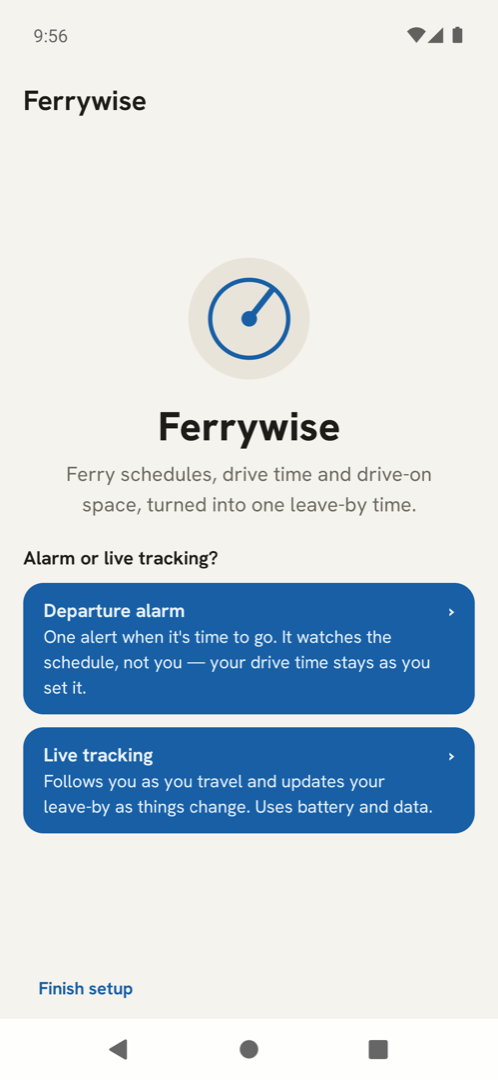
- On the home page, start a trip. On Android you choose Departure alarm (the app wakes you) or live tracking (it follows your drive); on iPhone there is one path, the plan.
- Pick the travel day and the crossing (for example Seattle to Bainbridge Island).
- Optionally set an arrive by time if you must be somewhere; otherwise Ferrywise plans the next boat you can still catch.
- Say whether you walk on or drive on.
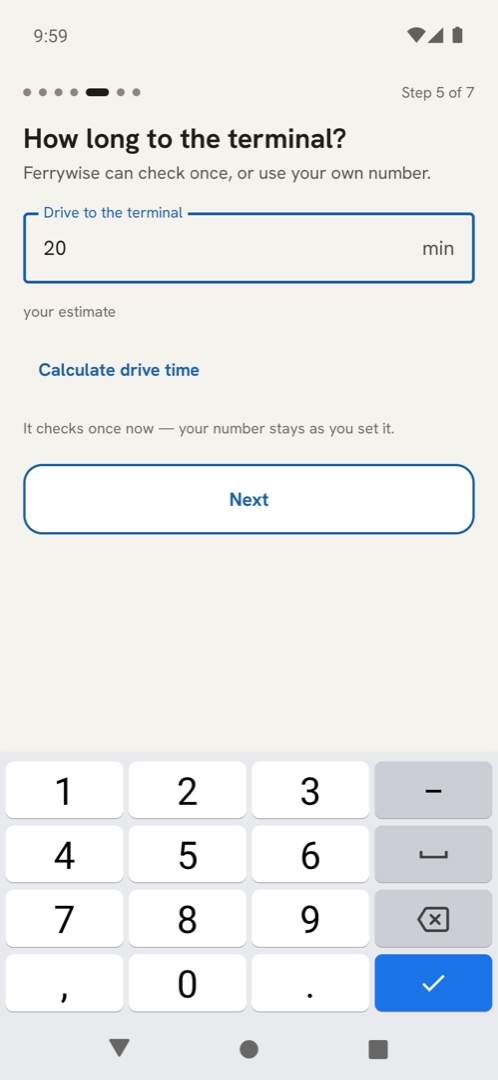
- Type how long the drive to the terminal takes. Ferrywise does not guess this for you.
- Choose how early the alarm should wake you (15 to 120 minutes before leave-by; the default is 45).
- The last step shows the sailing and the leave-by time. Confirm, and the trip is saved on your phone.
Next boat or arrive-by: which should I use?
Next boat finds the earliest sailing you can still make from now. Arrive by finds the latest sailing that lands before a time you give, so you are not earlier than you need to be. Both use the same schedule; only the question differs.
Where does the leave-by time come from?
From the sailing's published departure, minus your typed drive, minus the terminal time a drive-on or walk-on needs. For drive-on trips Ferrywise also reads how full the car deck is, where the terminal publishes it, and warns when space is tight. It never invents a sailing: if the schedule for that day has not been published, it says so.
What do the car-deck messages mean?
They are the terminal's own space readings, in plain words: plenty of room, getting full, or very tight. When the feed cannot be read, Ferrywise says that instead of guessing, and the plan carries a note that the car deck was not checked.
Can I plan the trip home too?
On Android the app offers the return trip after you plan the outbound one. On iPhone, not yet; plan it as a second trip.
What is the difference between the Android and iPhone versions?
Android sets the alarm for you and can optionally follow your drive with live tracking. iPhone computes the same leave-by time from the same schedule, sends a reminder notification, and asks you to set your own Clock alarm — Ferrywise on iPhone never claims it will wake you itself. iPhone also reads no location at all.
Alarms and reminders
Android: the alarm did not sound. Why?
The most common cause: Android pauses apps it has not seen in a while, which clears their alarms. Ferrywise tells you at the next open when that has happened, and asks you to allow it to keep running. On some phones a battery setting does this on its own and may switch itself back after a system update:
- Samsung: Settings → Battery → Background usage limits → turn off Put unused apps to sleep; check it again after updates.
- Xiaomi: Autostart on; battery saver set to No restrictions.
- OnePlus: turn off Deep optimization and Sleep standby optimization.
Also check that Ferrywise is allowed to set alarms and reminders (Settings → Apps → Ferrywise → Alarms & reminders) and to send notifications. An alarm can only be set for a trip that can be made; if the plan was refused, no alarm exists, and the app says so.
Android: the app says an alarm is already set.
Ferrywise keeps one armed trip at a time. Starting a new one replaces it, and the app asks you to confirm. Cancelling a trip switches its alarm off, and nothing will wake you for that sailing.
iPhone: will Ferrywise wake me?
No, and it says so on the leave-by screen. It sends a reminder notification at the leave-by time and shows you the time to set in the Clock app. Set that alarm yourself; the app re-checks your word when you come back to it.
How early will I be woken?
As early as you chose in the plan: between 15 and 120 minutes before the leave-by time, 45 by default. Change it when you plan; the alarm follows the choice.
The schedule and the refusals
"No boat found for that day" or "No sailing makes it"
Ferrywise read the schedule and found no sailing you can catch for that day and time. Nothing is wrong with the app; the boats are the boats. It offers the operator's service page so you can check for disruptions, and you can edit the trip to another day or boat.
"Couldn't reach the ferry schedule right now"
The operator's schedule service did not answer, usually because the phone is offline or the service is down. Check your connection and try again. For a planned trip Ferrywise keeps checking and says when it has stopped; it never shows a made-up time.
"Couldn't check the full schedule — an early-morning sailing may be missing"
The previous day's schedule, which can hold a sailing just after midnight, could not be read. The plan you see is still right for the sailings that were read; it may be missing a very early boat. Reopen the trip later and Ferrywise checks again.
The schedule for my day is not published yet.
Washington State Ferries publishes schedules by season. Until the day you want is published, Ferrywise refuses rather than guesses, and says so. Plan again closer to the day.
A sailing was cancelled. Will Ferrywise know?
Where the operator publishes the cancellation in its live terminal feed, Ferrywise excludes that boat and plans the next one. Cancellations are checked when you open Ferrywise, not overnight, so look again before you leave.
"A trip you set up couldn't be loaded"
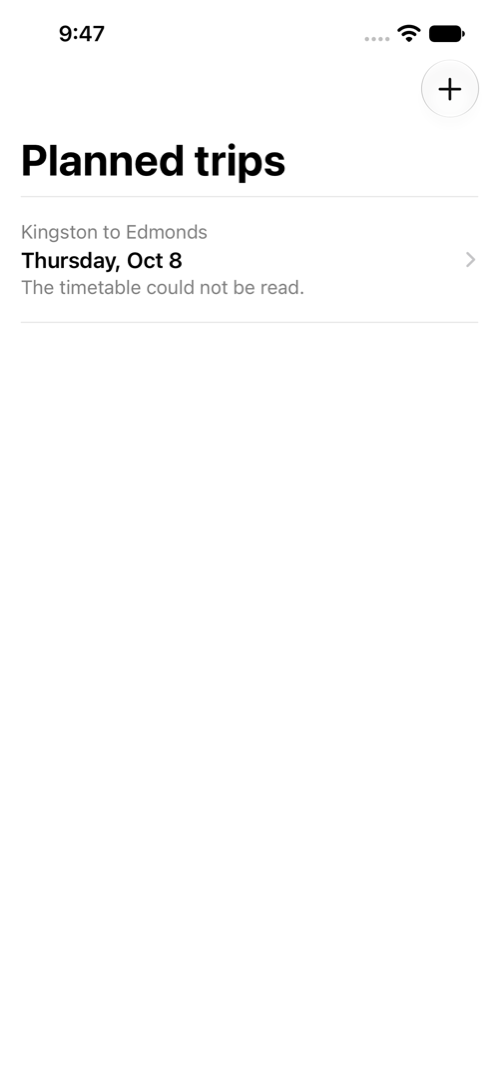
A saved trip could not be read back, so nothing will ring for it. Plan it again. This usually follows an update that changed how trips are stored.
Permissions and privacy
Which permissions does Ferrywise need?
- Notifications, to remind you when it is time to leave. If you decline, the time is shown on screen only.
- Alarms (Android: exact alarms; iPhone: alarm scheduling, where the system offers it).
- Location (Android only, optional): once, for your starting point in the drive-time estimate, or during live tracking if you turn it on. iPhone asks for no location.
What leaves my phone?
Timetable requests to the operators, which carry terminal identifiers and dates. On Android, if you choose them: your starting point for the drive-time estimate, your position during live tracking, and the address text you type, each to Google's routing or autocomplete service. Nothing goes to Eikon Technologies, LLC, and there is no account. The full account is on the privacy policy.
Does live tracking run in the background?
Yes, while a tracked trip is active: Ferrywise reads your position about once a minute, with the screen off too, under a notification you can see the whole time. Stopping the trip ends it. Only the most recent position is kept, with that trip; removing the trip deletes it.
Is my data backed up to my Google account or moved to a new phone?
No. Ferrywise opts out of Android's cloud backup and device-to-device transfer for its stored data. Uninstalling deletes everything.
I reinstalled and my trips are gone.
That is expected: trips live only on the phone, and a reinstall starts fresh. Plan them again.
Still stuck
Write to support@eikontechsoftware.com with your phone model, the crossing and day you planned, and the exact words on the screen. Ferrywise keeps no logs of your trips, so your description is what we have.